Steve PMH
Playing the guitar is one of the most gratifying and popular hobbies worldwide.
However, it can also be a painstaking experience that turns your fingertips into unread messages, your text messages into unheard gibberish, and your happy thoughts into dark and brooding contemplations.
At this point, you would choose to do anything else if it means avoiding another second of playing the guitar, even if that something else is sitting in a dark room and doing nothing.
The most unfortunate thing is that many people end their guitar journey before it even starts.
The good news is that there is a way to make sure you see progress in your guitar skills – by using a tool designed to help you do just that.
Simply Guitar is one such tool that has been helping millions of people learn how to play the guitar.
What Is Simply Guitar?
Simply Guitar is a guitar learning app first published in August 2011 that uses a step-by-step approach to help you learn how to play the guitar.
It is designed for both beginners and those with experience playing the guitar.
Since launching, Simply Guitar has gone on to win multiple awards most notably SF Music Tech Summit Startup Innovators Challenge Winner, Best Tool for Beginners, NAMM, and EMI Innovation Challenge Award.
The beauty of this app is in its simplicity which explains its success with over a million downloads on Google Playstore.
It is available on Android and iOS devices and can be downloaded for free.
One of the main reasons this app stands out is that it listens to your playing and provides song pairings and learning pathway suggestions that are meant to challenge your abilities but do not exceed your current capabilities.
Simply Guitar has done an excellent job keeping the interface simple.

Many people give up on playing the guitar because they find it too complicated and waste most of their effort playing a song beyond their level.
On the other hand, playing a simple song does not offer any satisfaction either, which is frustrating.
Simple Guitar looks to find the perfect balance by giving you songs meant to improve your guitar skills while also providing enjoyment.
The learning process starts with simpler pieces that you can play with one hand while the other hand is busy picking the strings.
As you progress, Simply Guitar comes up with more difficult suggestions that need better skills and dedication.
However, that is not the case all through. After completing the first few courses, you can try playing any song you like.
However, you will get a notification from the app if you choose a piece that could be challenging for your level.
How Does it Work?
When you launch Simply Guitar for the first time, you will have to answer a series of questions for it to create a learning path suitable for your level and goals.
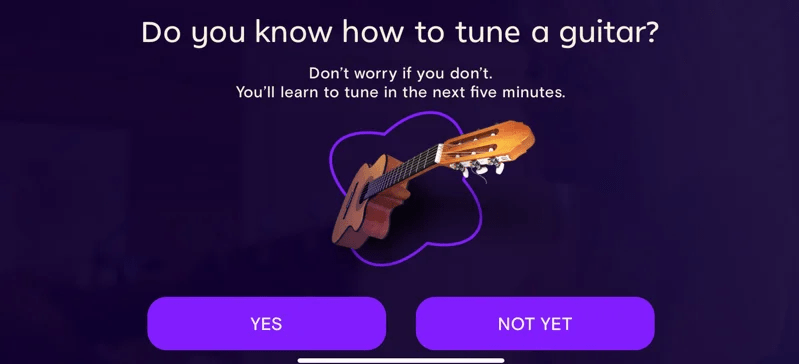
The first few courses are designed to introduce you to the basic concepts of playing the guitar.
You will learn about different guitar parts, how to hold it, how to tune it, and how to make basic chords.
Once you have completed these introductory courses, you can start learning how to play actual songs.
If you are only getting started with playing the guitar, the app will present several videos to guide you on the basics of guitar playing.
The videos show you how to hold the instrument, tune it, and make basic chords. Before advancing, you must choose between two paths – Lead or Chords.
If you have favorite solo lines and riffs that you want to focus on while learning, you may want to choose Lead.
Chords are great if you want to strum with a singer. This may sound simple to many, but given the app’s name, it is no surprise.
The two different learning paths frequently come together to create a unified learning experience for the user.

From there, you can begin your journey. You must go through several video lessons and interactive exercises to progress through the levels.
It uses a unique fretboard/tab strip to show you where to place your fingers on the fretboard.
This is one of the best features of this app, as it makes learning so much easier and more interactive.
You can mess up one time and still proceed to the next level. However, messing up a few times will need you to repeat the same level until you get it right.
Advancing through the different levels feels almost like a video game since every level has a different set of requirements that you need to complete.
One of the most incredible things about this app is that it uses your microphone to listen in on your playing and provides feedback on what you are doing right or wrong.
You can use this feature to improve your skills by recording yourself and then listening back to identify any mistakes you may have made.
It also has a social component where you can share your progress with friends and family. This is a great way to stay motivated and on track with your learning.

Pros
- Bold graphic aesthetic: Simply Guitar has a modern and sleek look. The colors are bold, and the interface is very user-friendly. This can be an excellent motivator for people who want to learn guitar. Additionally, it is designed for both left-handed and right-handed people, which is a great plus.
- Interactive learning: It effectively breaks down the learning process into manageable chunks. The interactive exercises are particularly helpful as they provide immediate feedback. This can be very motivating for some people. Interactive learning also helps to solidify the concepts in your mind.
- Adaptive difficulty: One of the best things about this app is that it adapts to your level. The first few courses are designed to introduce you to the basic concepts of playing the guitar. You will learn about different guitar parts, how to hold it, how to tune it, and how to make basic chords. Once you have completed these introductory courses, you can start learning how to play actual songs.
- Integrated feedback: Simply Guitar uses your microphone to listen in on your playing and provides feedback on what you are doing right or wrong. This is a great way to stay motivated and improve your skills by recording yourself and then listening back to identify any mistakes you may have made.
- Expansive music library: Music is not what it was in the past, with names like Page, Green, and Hendrix. While these legends are still relevant, other artists are making great music. It has a broad range of songs from different genres and eras with users learning more than a million songs weekly. You are not just limited to rock or blues.
- Ideal for those with learning difficulties: The design makes it ideal for people with different learning abilities. The fact that it is self-paced and you can repeat sections as often as you need is ideal for those who have trouble retaining information. Additionally, the use of colors and bold graphics can also be helpful for those with specific learning difficulties.

Cons
- Guitar experts may find it shallow: There is a lot more to playing the guitar than what is covered in this app. If you are an experienced player, you may find the content to be a bit shallow. Simply Guitar does not cover topics such as improvisation or musical theory. If you are an experienced guitar player, you may find the content to be a bit shallow. It is designed for beginners and those who are just starting. Additionally, it does not go into great detail about theory or technique.
- Can be repetitive: Some people may find the exercises to be repetitive after a while. This is expected as it is designed to help you learn and internalize the concepts. Advancing through the higher levels will require you to complete the same exercises with different songs. While this can be seen as a con, it is also a testament that Simply Guitar is very effective in helping you learn.
- Poor chord recognition: One of the features of this application is that it uses your microphone to listen in on your playing and provide feedback. However, some users have reported that chord recognition is not always accurate. This can be frustrating as it reduces the effectiveness of this feature.
- Problems playing the 5th and 6th strings: Some people have reported having difficulty playing the 5th and 6th strings on the guitar. This is likely because they are thinner than the other strings and require more dexterity to play. Additionally, it can be easy to accidentally mute these strings when you are first starting.
FAQs
Q: Do I need a subscription to use Simply Guitar?
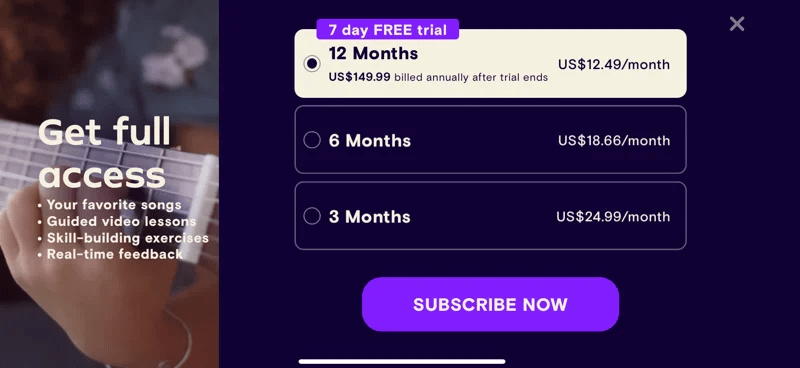
A: Yes. You will need a subscription to access all of the features. You can check the pricing page for the different available packages.
You do get a free trial when you first sign up so that you can try out the features before you decide to commit to a subscription.
Q: What type of guitar do I need?
A: Simply guitar can be used with any type of guitar. You do not need a specific type of guitar to use Simply Guitar.
You just need a working microphone so the app can listen in on your playing and provide feedback.
Q: What if I have trouble with one of the exercises?
A: Simply Guitar is designed to be self-paced so that you can go at your own pace. If you find that you are having trouble with an exercise, you can always repeat it as often as you need to.
Additionally, it uses colors and bold graphics to help those with certain learning difficulties. Unfortunately, you cannot skip a lesson due to the inbuilt rewards system.
Q: I cannot get past the tuning. What do I do?
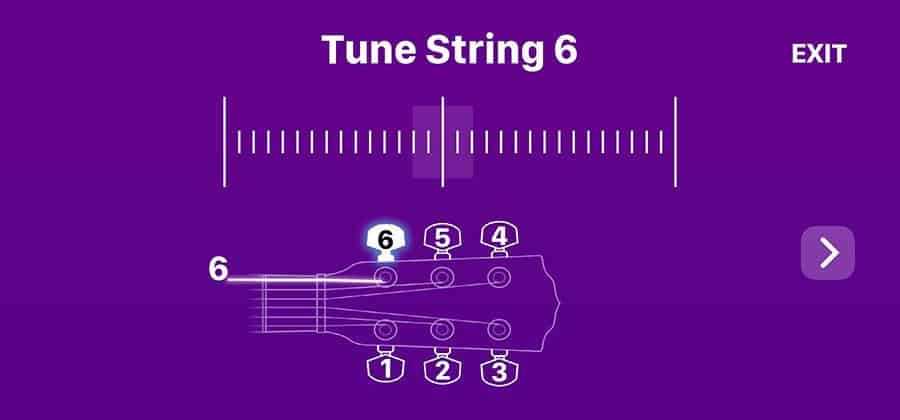
A: If you are having trouble tuning your guitar, you can check the support page for some tips on how to do so.
You can also restart your app and try again. You may want to try using a different tuner if you are still having trouble. If all else fails, feel free to contact customer support.
Q: I do not see any results. What do I do?
A: Everyone learns at a different pace, so it is difficult to say how long it will take before you start seeing results.
However, if you feel like you are not making any progress, you can always contact customer support for help.
Additionally, you can try going back and repeating exercises to internalize the concepts. Finally, make sure that you are regularly practicing so that you can see results.
Q: What if I do not like Simply Guitar?
A: Simply guitar is a great app that you can count on if you want to learn how to play the guitar.
However, if you find that it is not for you, you can always cancel your subscription and receive a refund. You can also contact customer support for help.
You can provide reviews on the Playstore so developers can continue to improve the app.
Q: What if I don’t have a microphone?

A: If you do not have a microphone, you will not be able to use the app.
Simply Guitar uses your microphone to listen in on your playing and provide feedback. Without a microphone, the app will not be able to function.
Q: I’m having trouble playing the 5th and 6th strings. What should I do?
A: Some people have reported having difficulty playing the 5th and 6th strings on the guitar.
This is likely because they are thinner than the other strings and require more dexterity to play.
Additionally, it can be easy to accidentally mute these strings when you are first starting.
If you are having trouble, we recommend practicing with a friend or family member so they can help you with the correct finger placement.
Q: Can I use Simply Guitar on my computer?

A: No. Simply Guitar is a mobile application and can only be used on smartphones or tablets. It is not available for computers.
However, you can use a desktop app emulator to use Simply Guitar on your computer.
Q: I accidentally canceled my subscription. How do I resubscribe?
A: You can resubscribe by going to the pricing page and selecting the package you want. Once you have selected the package, you will be prompted to enter your payment information.
After your payment has been processed, you will have access to all of the features again.
Q: What if I forget my password?
A: If you forget your password, you can always reset it by going to the login page. You will need to enter your email address, and you will be sent a password reset link.
Once you click on the link, you will be able to choose a new password. You can contact customer support for help if you are still having trouble.
Q: What do I do if I have issues with payment?
A: If you have any issues with payment, you can contact customer support for help. They will be able to assist you in resolving the issue.
Q: Can I cancel my subscription?
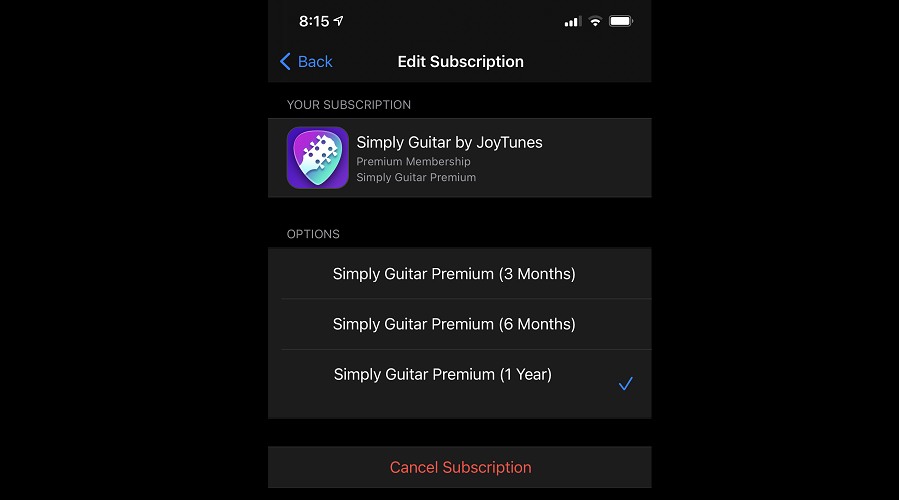
A: Yes, you can cancel your subscription at any time. However, you will not be refunded for the current month that you have paid.
If you cancel before your next billing date, your subscription will end at the end of the current billing cycle.
Q: What do I do if I need help?
A: If you need any help, you can always contact customer support. They will be more than happy to assist you.
You can also check the FAQ section of the app for some common issues that people have.
Verdict
If you have always wanted to know how to play the guitar, this app is for you. It does a great job teaching the basics in a simple and straightforward way.
The app is also safe to use, and you can always contact customer support if you need help.
I would recommend this app to anyone who wants to learn how to play the guitar.
It is a great way to get started, and it is very affordable. I also like that you can cancel your subscription at any time.
It does have a few drawbacks and the issues playing the 5th and 6th chord and sketchy chord recognition can be especially frustrating but is a great app overall.
Simply Guitar gets four out of five stars.
For an app that is so simple, it is very well made and offers a lot of value. Simply Guitar gets four out of five stars.